
Check whether a payment synced
Use the Stripe Webhook Log to confirm whether ERPNext received and processed an event from Stripe.
Find the webhook event
- Search for Stripe Webhook Log in ERPNext.
- Filter by the approximate event time, event type, status, or Stripe Settings record.
- Open the matching log.
- Compare its Stripe Event ID or Stripe Object ID with the event in the Stripe Dashboard.
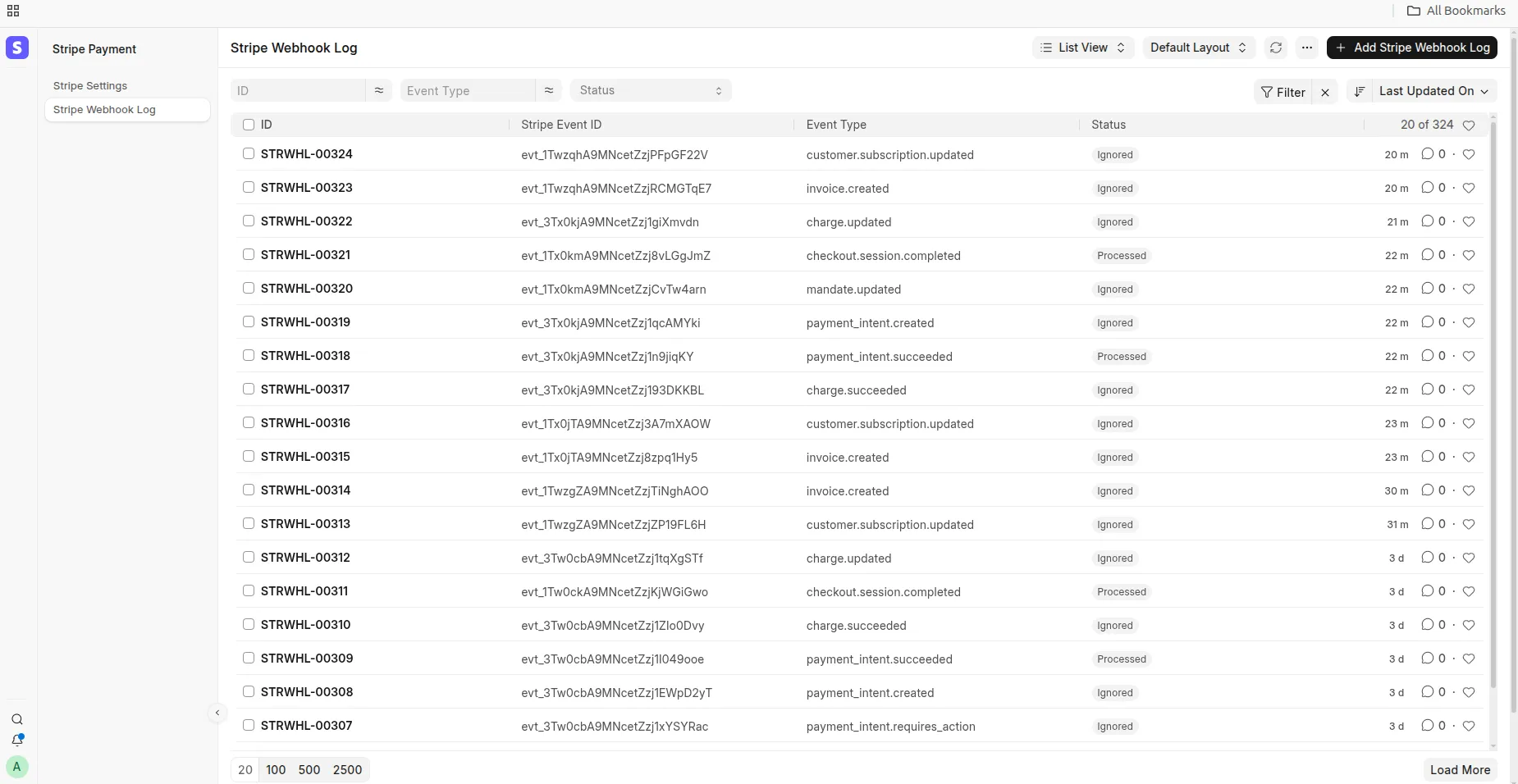
Stripe Webhook Log in ERPNext
Understand the status
| Status | Meaning | What to do |
|---|---|---|
| Received | ERPNext stored the event and processing has not completed | Refresh after a short interval; investigate if it remains unchanged |
| Processed | The event handler completed | Follow the Reference Document Type and Reference Name fields to verify the result |
| Pending | The payment method has not completed settlement | Check the payment status in Stripe and wait for a later event |
| Ignored | The event did not require an ERPNext update | Confirm that the event is unrelated, unsupported, or already processed |
| Failed | Processing raised an error | Read the Error and Retry Count fields and use the checks below |
Duplicate Stripe deliveries reuse the Stripe Event ID and do not create another log or Payment Entry.
Verify the ERPNext result
For a one-time payment, confirm that the log links to the expected Payment Request or transaction and that a submitted Payment Entry exists. For a subscription, confirm that the billing-period Sales Invoice and Payment Entry exist.
Troubleshooting
No webhook log exists
- Open the endpoint in the Stripe Dashboard.
- Check whether Stripe attempted delivery to the same URL shown in Stripe Settings.
- Confirm that the endpoint mode matches the API keys and signing secret.
- Verify that the ERPNext URL is public and uses a valid HTTPS certificate.
- Correct the endpoint or delivery error, then resend the event from Stripe.
A webhook log is Failed
Read the Error and Retry Count fields, then compare the Stripe Event ID and object ID with the expected transaction. Correct the underlying setup or document error before retrying the event.
A webhook log is Ignored
Confirm that the event type is supported, contains ERPNext reference metadata, and is linked to the expected Payment Request or Subscription. An already-settled document can also cause an event to be ignored.