
Monitoring the Integration Log
The Ecommerce Integration Log is the authoritative record of everything the connector does: order retrievals, inventory pushes, GRN adjustments, delivery-note creation, cancellations, and returns. It is the first place to look whenever a document does not appear as expected.
Opening the log
Search for Ecommerce Integration Log in ERPNext. Each row captures a single action:
| Field | What it means |
|---|---|
| Status | The outcome: Success, Failure, or Error. |
| Method | The action that ran, such as an order sync or a GRN adjustment. |
| Request Data | The payload ERPNext sent to Unicommerce. |
| Response Data | The response Unicommerce returned. |
| Message | A short summary of what happened. |
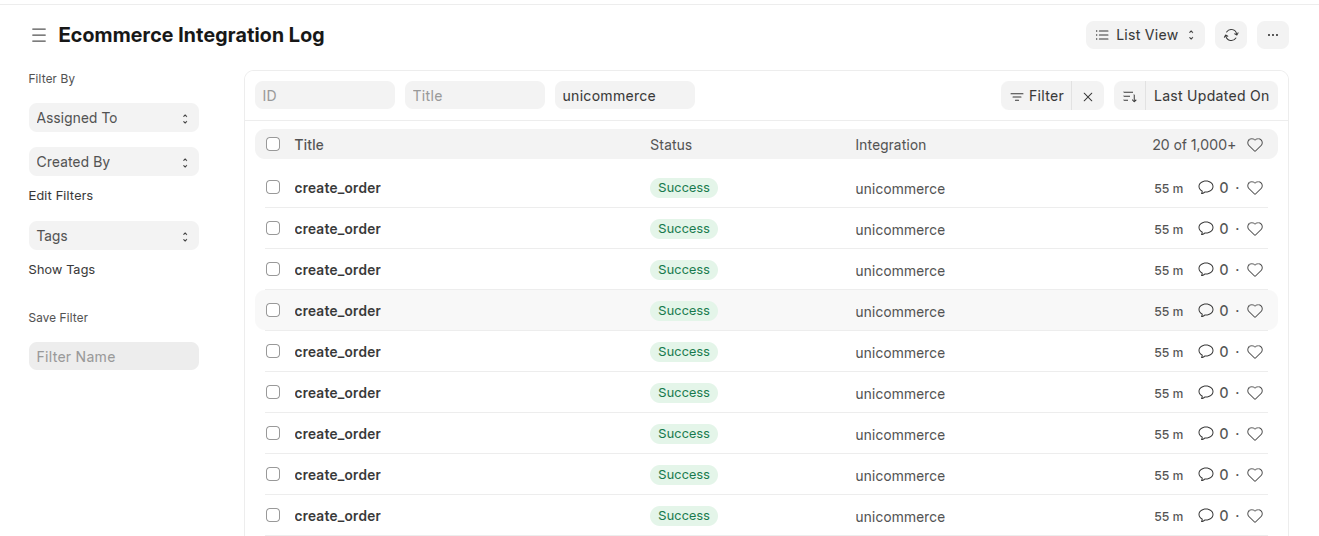
The Ecommerce Integration Log - one entry per sync action.
What each status means
| Status | Meaning |
|---|---|
| Success | The action completed and the relevant ERPNext documents were created or updated. |
| Failure | Unicommerce rejected the request; the response holds the reason. |
| Error | An unexpected error occurred within ERPNext, and the changes were rolled back. |
Interpreting a GRN failure
For a goods receipt, the log entry names the Stock Entry and lists the per-item errors returned by Unicommerce, along with any items skipped because their batch group was not configured. That is enough to pinpoint the exact item and attribute that need attention. See the error-code table in Goods Receipt (GRN) Sync for the meaning of each code.
Note: A successful GRN adds a confirmation comment to the Stock Entry rather than a separate Success log row. If a GRN Stock Entry carries a "synced to Unicommerce" comment, the adjustment posted successfully.