
Bring in orders placed before you connected
After Shopify Setting is enabled, all new Shopify orders are synchronized automatically. To import existing orders that were created before the integration was configured, use the Sync Old Orders option.
Configure the Import Date Range
- Enable Sync Old Orders in the Inventory Sync section of Shopify Setting.
- Specify the From Date and To Date to define the range of orders to import.
- Save the Shopify Setting to start the synchronization.
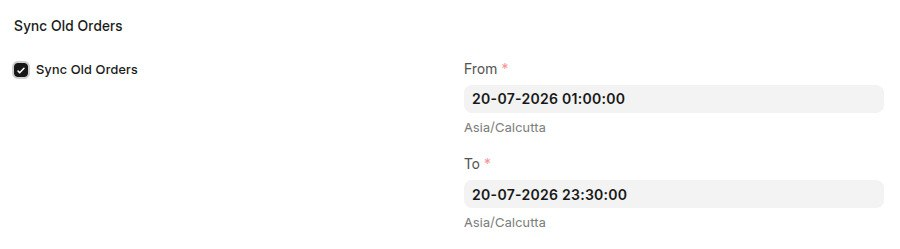
The next time the scheduler runs, ERPNext retrieves all Shopify orders within the specified date range and creates a Sales Order for each eligible order.
What about orders that have already been synced?
ERPNext checks its current Shopify status and updates the corresponding documents as needed. For example, it creates a Sales Invoice when the order is marked as paid, creates a Delivery Note when the order is fulfilled, or processes a cancellation if the order has been canceled.
After the scheduled synchronization completes successfully, the Sync Old Orders option is automatically disabled to prevent the same date range from being imported again.
Tip: Start with a small date range to verify the synchronization results, then expand the range as needed.