
Syncing Historical Orders
New orders synchronise automatically once the integration is enabled. To bring in orders that already existed in Unicommerce before you connected, use the Sync Old Orders action to run a one-off backfill.
Running a backfill
- Open Unicommerce Settings.
- Choose Sync Old Orders from the top-right menu.
- Select a From Date and a To Date (inclusive).
- The range cannot exceed 31 inclusive days. For a longer backfill, run it in consecutive monthly batches.
- Confirm.
The job retrieves every order created within that date range and synchronises the ones ERPNext does not already hold.
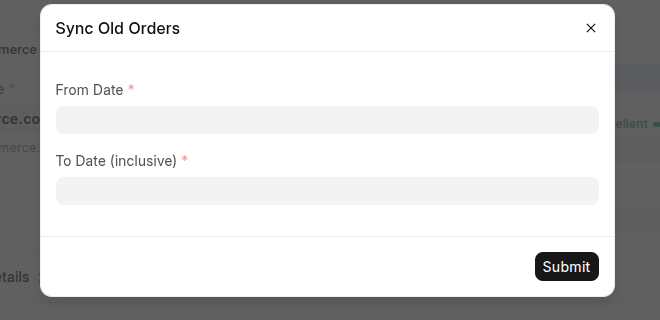
The Sync Old Orders dialog: choose a From and To date to backfill.
Rules and safeguards
| Rule | Reason |
|---|---|
| The range cannot exceed the allowed number of days. | Keeps each backfill within Unicommerce's search window. |
| To Date cannot precede From Date. | Prevents an empty or invalid range. |
| Only one backfill runs at a time. | A single-run lock blocks a second, overlapping job. |
| Orders from disabled channels are skipped. | Applies the same channel filter as the scheduled sync. |
Existing orders are re-evaluated, not skipped
If an order in the range already has a Sales Order in ERPNext, the backfill does not simply pass over it. It re-reads the order's current Unicommerce status and applies anything that has happened since the order last synchronised: raising a Sales Invoice, creating a Delivery Note, or processing a cancellation as appropriate.
Reading the result
When the job finishes it records a summary, which you can open from the Ecommerce Integration Log:
| Count | Meaning |
|---|---|
| fetched | Orders found within the range. |
| created | New Sales Orders created. |
| skippedexisting | Orders already present and up to date. |
| offchannel | Orders skipped because their channel is disabled. |
| failed | Orders that errored. Each is also logged individually. |
Note: The backfill and the scheduled sync share the same order-creation logic; they differ only in how orders are discovered. The scheduled job looks at recently updated orders, whereas the backfill scans orders by creation date across the range you choose.