
Map Shopify taxes to ERPNext accounts
Shopify sends taxes and shipping charges by name (for example, IGST or Standard). Map each Shopify tax and shipping charge to the appropriate ERPNext Account in the Shopify Tax Account table.
Add a Tax mapping
For each Tax or shipping charge that Shopify can apply to an order, add a row in the Shopify Tax Account table with:
- The Shopify Tax/Shipping Title, exactly as it appears in Shopify.
- The corresponding ERPNext Account to which the amount should be posted.
Where to find your tax names
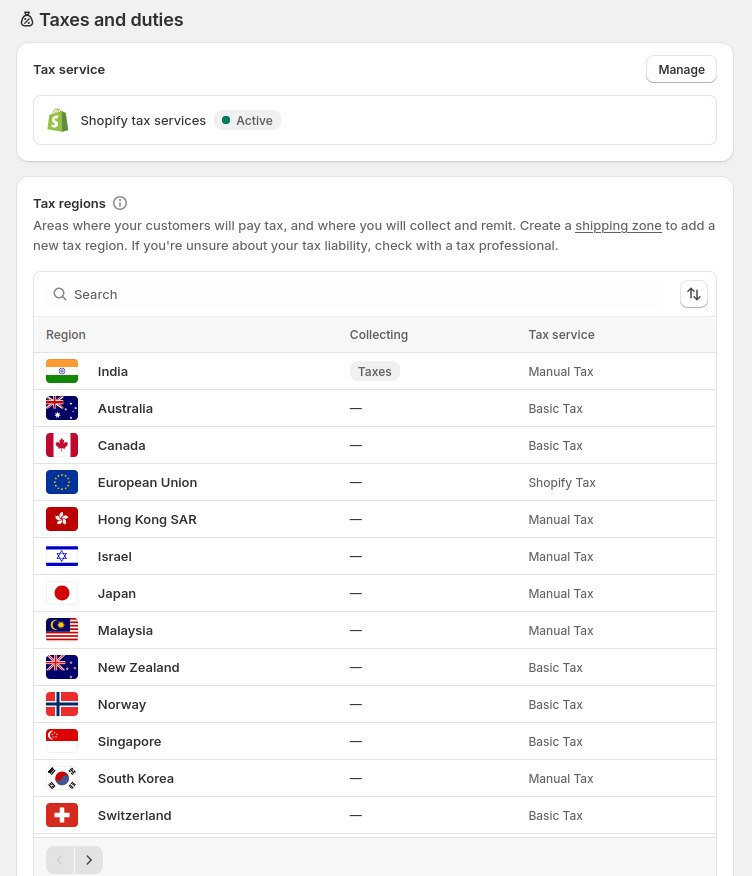
The Shopify Tax/Shipping Title must exactly match the title configured in your Shopify store. In Shopify Admin, navigate to Settings → Taxes and Duties and note the name of each tax rate or shipping charge. Use the exact title in the Shopify Tax Account mapping table.
Options for simpler tax handling
If you prefer not to map every Shopify tax or shipping charge individually, Shopify Setting provides the following fallback options:
- Consolidate Taxes in Order – Combines all Shopify taxes into a single tax line.
- Default Sales Tax Account – Specifies the default ERPNext Account to use when a Shopify tax title is not mapped.
- Add Shipping Charge as an Item in Order – Adds the shipping charge as an item instead of a separate charge. Configure the Shipping Item to represent the shipping amount.
- Default Shipping Charges Account – Specifies the default ERPNext Account for shipping charges when no mapping is available.
To ensure taxes and shipping charges are posted correctly in ERPNext, either map each Shopify Tax/Shipping Title individually or configure the appropriate default accounts as fallbacks.
Troubleshooting
Orders Sync but Taxes or Shipping Don't Post
Symptom:
The Sales Order is created successfully, but one or more tax or shipping charges are missing, or the synchronization fails.
Cause:
Shopify sent a tax or shipping title that is not mapped to an ERPNext account, and no default account is configured.
Resolution:
- Add a matching entry under Shopify Tax Account using the exact tax or shipping title from Shopify.
- Configure a Default Sales Tax Account or Default Shipping Charges Account as a fallback.
- Alternatively, enable Consolidate Taxes in Order if a detailed tax breakdown is not required.