Sync products from Shopify
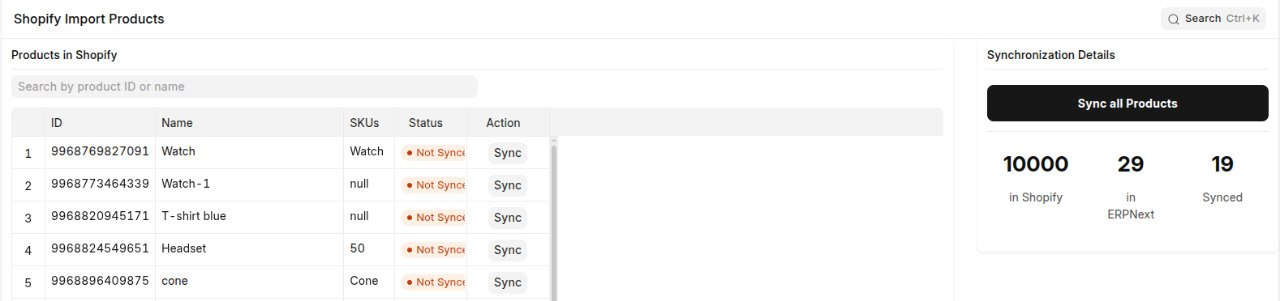
Open the Awesome Bar and search for Shopify Import Products. This page displays the products available in your Shopify store and allows you to import them into ERPNext.
Search for a Product
Enter a product name or product ID in the search box above the product list to filter and find specific products.
Sync a product
Click Sync next to a single product, or click Sync All Products to import all products at once.
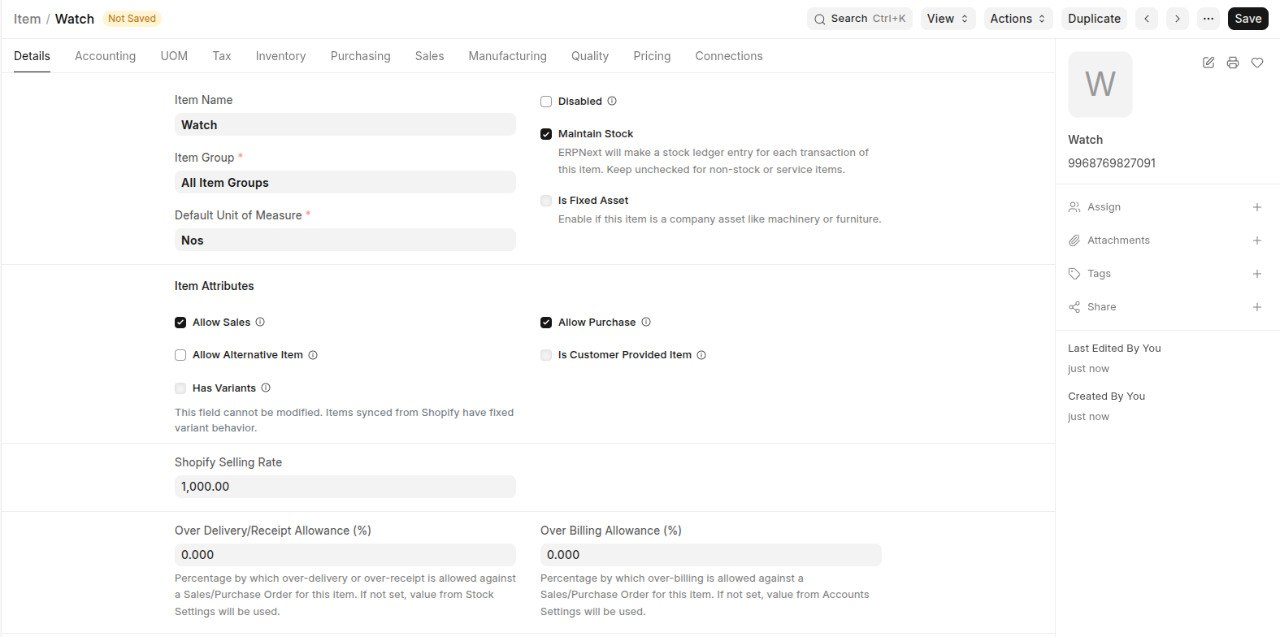
Each synced product becomes an ERPNext Item with the following details carried over from Shopify:
- Item Name - Imported from the Shopify product name.
- Item Group - Assigned to the corresponding ERPNext item group.
- Shopify Selling Rate - The selling price from Shopify is carried over to ERPNext.
The synced items can then be managed in ERPNext for sales and inventory operations.
How the link is tracked
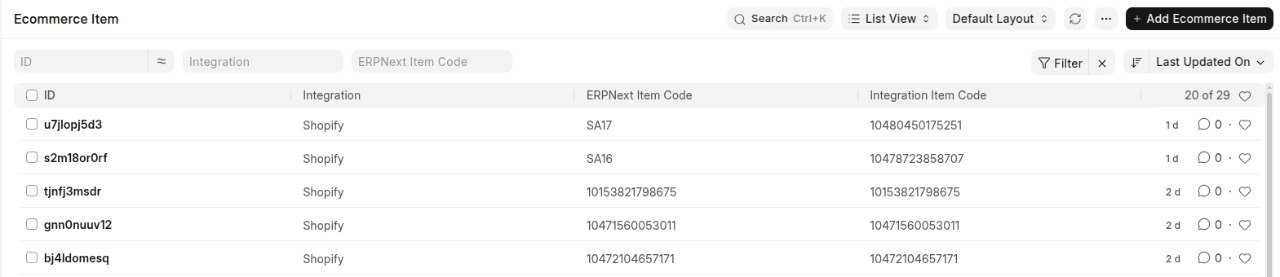
Every synced Item is linked back to its corresponding Shopify Product or Variant through an Ecommerce Item record.
The Ecommerce Item record stores:
- Shopify Item Code - The unique identifier of the Shopify product or variant.
- ERPNext Item Code - The corresponding ERPNext Item reference.
This mapping keeps Shopify and ERPNext connected, allowing changes made later to be synchronized between both systems.