
Set your Customer, Company, and Inventory defaults
Still on the Shopify Setting page, fill in the defaults ERPNext should use whenever it creates a document from a Shopify order.
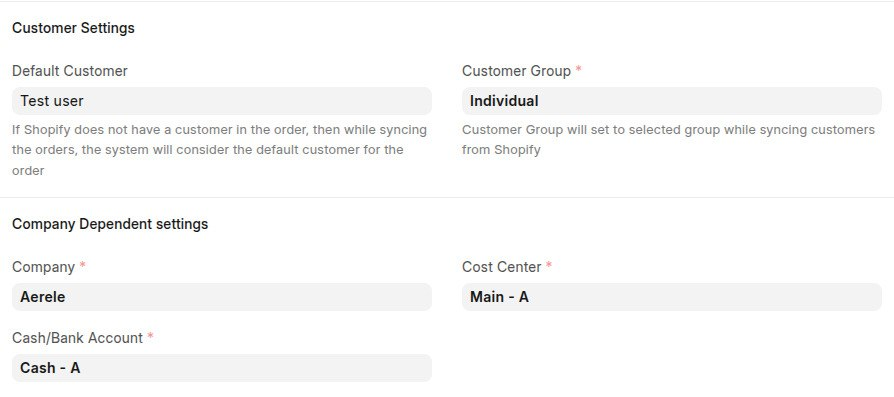
Customer Settings
- Default Customer and Customer Group - used when a Shopify order doesn't already match an existing Customer in ERPNext.
- Default warehouse - where stock is deducted from for Shopify orders.
Company Dependent settings
These are applied to every Sales Order, Sales Invoice and Delivery Note created from Shopify:
- Company
- Cash/Bank Account
- Cost Center

Inventory defaults
How stock is tracked against Shopify is configured in the Inventory Sync section, covered in detail in 'Keep stock levels in sync '. There you map each Shopify location to an ERPNext warehouse and choose whether to push ERPNext stock levels back to Shopify.
Last updated 3 weeks ago
Was this helpful?