
How Stripe Checkout Works
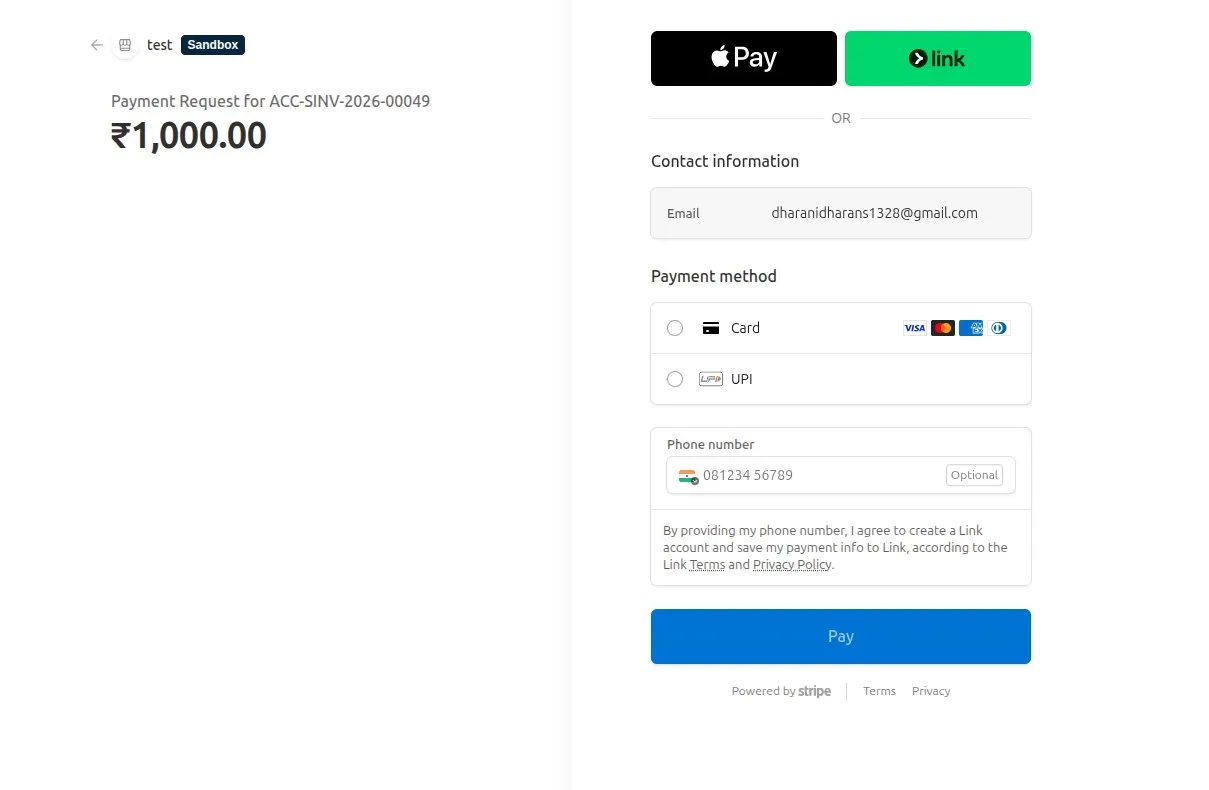
The integration uses Stripe-hosted Checkout for payment links created from ERPNext Payment Requests.
Checkout flow
ERPNext document
  -> Payment Request
  -> Stripe Checkout
  -> Customer payment
  -> Return to ERPNext and Stripe webhook
  -> Payment Entry
- ERPNext creates a Stripe Checkout Session from the submitted Payment Request.
- The customer is redirected to Stripe to enter payment details.
- Stripe chooses eligible payment methods using the Stripe account's Dashboard settings and the transaction details.
- After checkout, Stripe redirects the customer to ERPNext.
- Stripe independently sends a signed webhook event to the configured Webhook URL.
- ERPNext finalizes the Payment Request and creates the Payment Entry.Use the Stripe Webhook Log to confirm whether ERPNext received and processed an event from Stripe.
Why both the return and webhook are used
The browser return gives the customer an immediate result. The webhook is the reliable confirmation if the customer closes the browser or the return request fails.
ERPNext treats both paths as the same settlement operation. If one path has already completed the Payment Request, the other does not create another Payment Entry.
One-time and subscription checkout
For a one-time payment, Checkout creates a payment-mode session and Stripe records a Payment Intent. For a subscription, Checkout creates a subscription-mode session using the Stripe Prices linked to the ERPNext Subscription Plans.
Troubleshooting
- If the customer returns to ERPNext without a successful result, check the Checkout Session in Stripe and its Stripe Webhook Log before asking the customer to pay again.
- If an enabled payment method is missing, check Stripe's eligibility rules for the transaction currency, amount, customer location, and checkout mode.
- If duplicate webhook deliveries appear, compare their Stripe Event IDs. ERPNext should process an event once and avoid creating a second Payment Entry.
Last updated 3 weeks ago
Was this helpful?